
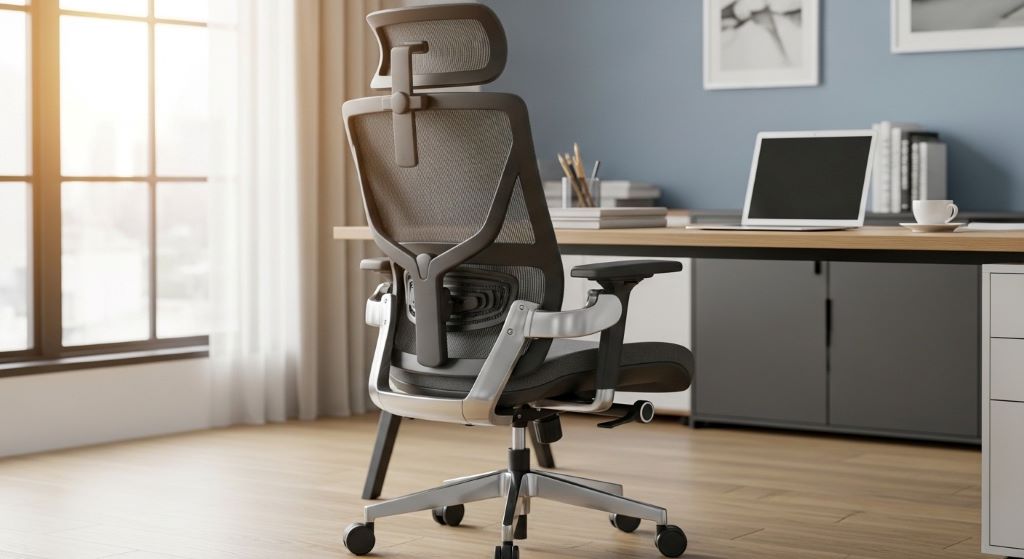
Lower back pain has become one of the most common complaints among office workers worldwide. Many people spend eight hours or more sitting at their desks each day, often without realizing that their chair might be the culprit behind their discomfort. Choosing the right office chair can make a significant difference in preventing and reducing back pain while improving overall comfort and productivity.
Understanding the Connection Between Sitting and Back Pain
When you sit for extended periods, your body experiences pressure in ways that standing or moving does not create. The lower back bears much of this burden, especially when your chair fails to provide adequate support. Poor seating habits can lead to muscle strain, compressed discs, and chronic discomfort that affects your daily life.
Research shows that sedentary work environments contribute significantly to musculoskeletal problems. However, the issue is not sitting itself but rather how we sit and what we sit on. An ergonomic office chair designed with proper features can help maintain natural body positioning and reduce strain on your back muscles and vertebrae.
The Importance of Proper Support for Your Lower Back
Your lower back has a natural curve that needs consistent support throughout the day. When this curve is not maintained, the muscles surrounding your spine must work harder to keep you upright. This constant effort leads to fatigue, tension, and eventually pain.
Lumbar support is the feature that addresses this specific need. This supportive element fits into the natural curve of your lower back, helping to maintain proper posture without requiring constant muscle engagement. When your chair provides appropriate support in this area, your body can relax while still maintaining healthy positioning.
Additionally, proper support reduces pressure on your intervertebral discs. These cushioning structures between your vertebrae can become compressed and damaged when sitting without adequate support for extended periods. By maintaining the natural curve of your back, you help these discs function as they should.
Key Features to Look for in an Office Chair
Selecting the right chair involves understanding which features contribute most to comfort and health. Not all chairs are created equal, and knowing what to look for can save you from future discomfort and medical expenses.
Adjustable Height
Your feet should rest flat on the floor with your knees at a ninety-degree angle. A chair with adjustable height allows you to customize this positioning regardless of your body size or desk height. This adjustment is crucial because improper leg positioning can affect your entire back.
Backrest Design
The backrest should support the natural S-curve of your spine. Look for chairs with adjustable backrests that you can position to fit your specific body shape. Some chairs offer separate adjustments for upper and lower back support, providing even more customization options.
Seat Depth and Width
Your chair seat should be deep enough to support your thighs without pressing against the back of your knees. There should be about two to four inches of space between the edge of the seat and the back of your knees. Width matters too, as you need enough room to sit comfortably without feeling cramped.
Armrests
Adjustable armrests help reduce strain on your shoulders and neck. Your arms should rest comfortably with your shoulders relaxed, not hunched up or forced downward. Proper arm support also prevents you from leaning to one side, which can throw off spine alignment.
Material and Padding
Breathable fabric keeps you comfortable during long sitting sessions by preventing heat buildup. Sufficient padding provides comfort without being so soft that it fails to offer support. Memory foam options can conform to your body while still maintaining structure.
How to Adjust Your Chair Correctly
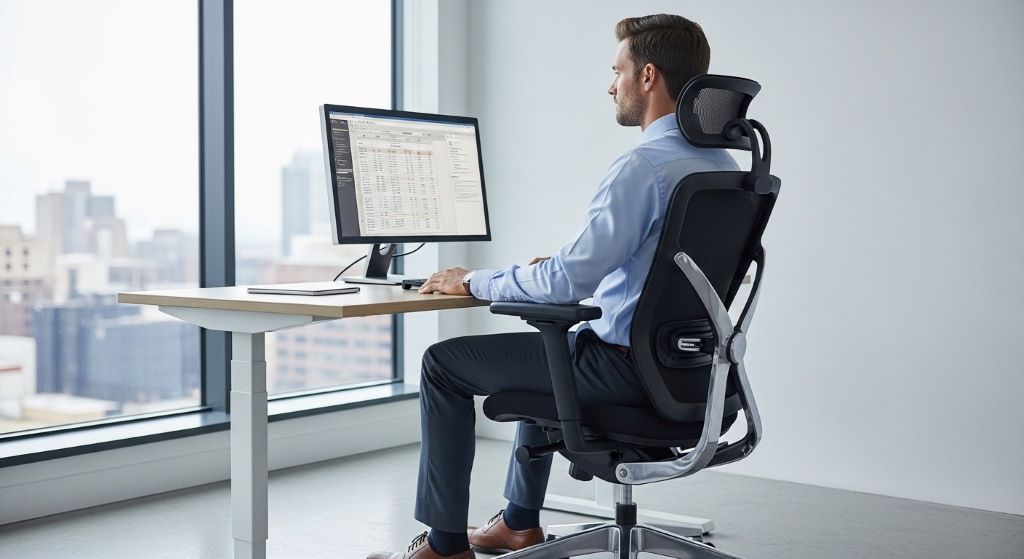
Owning an ergonomic chair is only half the battle. You must adjust it properly to receive the full benefits. Start by sitting all the way back in your chair so your back touches the backrest. This ensures you are using the support features as designed.
Next, adjust the height so your feet rest flat on the floor. Your thighs should be parallel to the ground or slightly angled downward. If your desk is too high, you might need a footrest to maintain proper positioning.
Position the backrest to support your lower back curve. Some chairs have a knob or lever that moves the support cushion up or down. Experiment with different positions until you find the spot that feels most comfortable and supportive.
Set your armrests so your arms can rest with your shoulders relaxed. Your elbows should form roughly a ninety-degree angle when your hands are on your keyboard. If the armrests are too high, they will push your shoulders up, creating tension.
Maintaining Good Posture Throughout the Day
Even the best chair cannot eliminate back pain if you slouch or sit incorrectly. Awareness of your posture throughout the day is essential. Your ears should align with your shoulders, and your shoulders should align with your hips. This creates a straight line that maintains spine alignment and reduces strain.
Avoid crossing your legs, as this can tilt your pelvis and create imbalance. Keep both feet on the floor or on a footrest. Your weight should be distributed evenly across both hips.
Furthermore, remember to take breaks. No matter how perfect your chair is, your body needs movement. Stand up and walk around for a few minutes every hour. Stretch your back, shoulders, and legs to keep blood flowing and muscles active.
Additional Strategies for Reducing Back Pain
While your chair plays a significant role in back health, other factors contribute to overall comfort and pain reduction. Combining multiple strategies creates the best results.
Consider using a standing desk converter that allows you to alternate between sitting and standing throughout the day. This variation reduces the total time your back spends in any one position. Start with short standing periods and gradually increase as your body adapts.
Core strengthening exercises can significantly improve your ability to maintain good posture and reduce back pain. Strong abdominal and back muscles support your spine better, reducing the workload on your chair’s supportive features. Simple exercises like planks, bridges, and bird dogs can be done at home without equipment.
Pay attention to your workspace setup as well. Your monitor should be at eye level to prevent neck strain that can affect your entire back. Your keyboard and mouse should be positioned so your arms remain close to your body without reaching forward.
When to Seek Professional Help
Sometimes back pain persists despite having the right chair and following proper ergonomic practices. If you experience severe pain, numbness, tingling, or pain that radiates down your legs, consult a healthcare professional. These symptoms might indicate issues that require medical attention beyond ergonomic adjustments.
A physical therapist can assess your specific situation and recommend targeted exercises or treatments. An occupational therapist can evaluate your entire workspace and suggest additional modifications. These professionals can identify problems you might not notice on your own.
Making the Investment Worth It
Quality ergonomic chairs often come with higher price tags than standard office chairs. However, consider this an investment in your health and productivity. The cost of treating chronic back pain through medical visits, medications, and lost work time can far exceed the price of a good chair.
Many employers recognize the value of ergonomic furniture and may contribute to the cost or provide chairs for their employees. If you work from home, this expense may be tax-deductible as a business expense. Check with a tax professional about your specific situation.
Moreover, a well-made ergonomic chair typically lasts many years with proper care. When you calculate the daily cost over the chair’s lifetime, the investment becomes more reasonable. Your health and comfort during those thousands of hours of sitting are invaluable.
Conclusion
Reducing lower back pain through proper seating is both achievable and essential for anyone who spends significant time sitting. The right office chair with features like lumbar support helps maintain spine alignment and reduces strain on your back muscles and discs. By selecting a chair with adjustable height, proper backrest design, appropriate seat dimensions, and quality materials, you create a foundation for better back health.
Remember that the chair itself is only part of the solution. Proper adjustment, good posture habits, regular movement breaks, and complementary exercises all contribute to reducing and preventing back pain. When you combine these elements, you create an environment that supports your body’s natural functioning rather than working against it.
Investing in the right chair and using it correctly can transform your daily comfort and long-term health. Your back will thank you for the attention and care you provide through thoughtful ergonomic choices.
Frequently Asked Questions
How long does it take to feel relief from back pain after getting a new ergonomic chair?
Most people notice some improvement within a few days to two weeks of using a properly adjusted ergonomic chair. However, if you have existing back issues, it may take several weeks for your muscles to adapt and for pain to significantly decrease. Consistency in using the chair correctly is key to experiencing benefits.
Can an office chair completely eliminate my back pain?
While a good office chair can significantly reduce or eliminate sitting-related back pain, it cannot fix all back problems. Issues like herniated discs, arthritis, or previous injuries may require additional treatment. The chair works best as part of a comprehensive approach that includes exercise, proper posture, and regular movement.
How often should I replace my office chair?
A quality office chair typically lasts five to ten years with regular use. Replace your chair when the padding compresses and no longer provides support, when adjustment mechanisms stop working properly, or when the structure shows signs of wear. If your chair no longer keeps you comfortable throughout the day, it is time for a replacement.
Do I need an expensive chair to get proper back support?
While many high-quality ergonomic chairs are expensive, you do not necessarily need the most costly option. Focus on finding a chair with the right adjustable features and adequate support for your body type. Some mid-range chairs offer excellent ergonomic benefits. Test chairs when possible to ensure they meet your needs before purchasing.
Should I use a separate lumbar pillow or cushion with my office chair?
If your chair lacks built-in support or if the existing support does not fit your body well, a separate cushion can help. However, a chair with adjustable built-in support is generally more effective because it integrates with the chair’s design. Use a cushion as a temporary solution while searching for a better chair or to supplement existing support if needed.
Related Topics:
The Common Causes of Hearing Loss
The Pros and Cons of Three High End Kitchen Materials
