
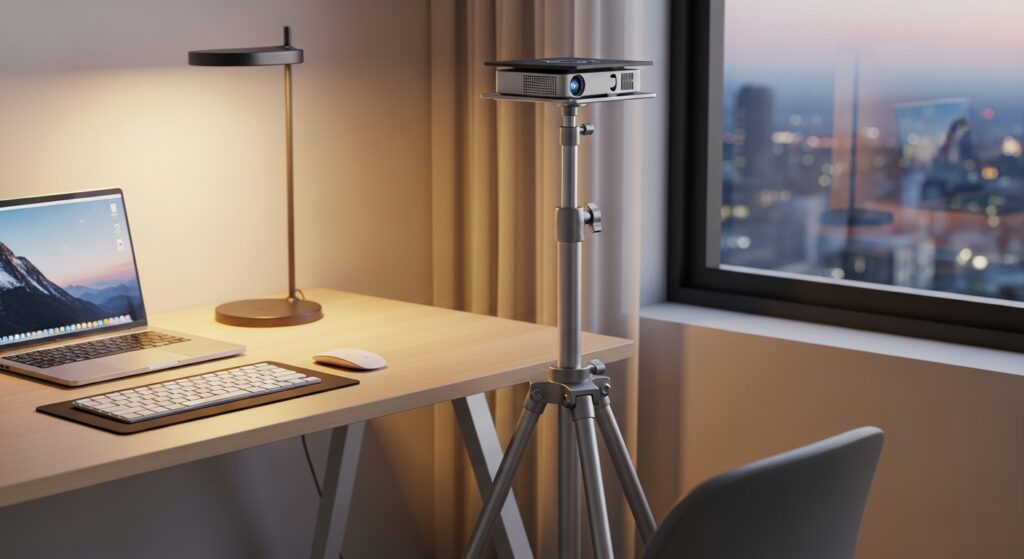
A projector stand is a stable platform designed to hold a projector at the correct height, angle, and position. In a compact office setup, it ensures clear image projection without consuming unnecessary space.
Here’s the problem.
Small office spaces are often cluttered. Desks are crowded. Cables are messy. And when you try to add a projector, things get worse. Poor placement leads to distorted images, blocked views, and wasted space.
This is where a smart projector stand becomes a space-saving tool. It allows flexibility, improves projection quality, and keeps your workspace organized.
According to workspace optimization studies, efficient space utilization can increase productivity by up to 20%. That means even small adjustments—like choosing the right stand—can make a measurable difference.
If you’re working with limited room, you need a solution that balances function, flexibility, and footprint. This guide will show you exactly how to choose the right projector stand for small room projector ideas without wasting money or space.
What should you look for in a projector stand for small office spaces?
Short answer: Look for compact design, adjustable height, sturdy build, and portability.
Let’s break it down.
1. Compact Footprint
In small spaces, every inch matters. Choose a stand with a narrow base or foldable legs. Avoid bulky tripod designs if your floor space is limited.
- Ideal base width: 30–45 cm
- Foldable design for storage
- Minimal floor obstruction
2. Adjustable Height
Height adjustment ensures proper image alignment. Most small office setups require flexibility between sitting and standing presentations.
- Recommended height range: 60 cm to 120 cm
- Locking mechanism for stability
3. Weight Capacity
Projectors typically weigh between 1.5 kg and 5 kg. Choose a stand that supports at least 2x your projector’s weight for safety.
4. Stability and Material
Aluminum alloy stands are lightweight yet strong. Steel offers better durability but adds weight.
5. Cable Management
Messy cables can ruin your setup. Look for stands with built-in clips or routing channels.
Ignoring these factors often leads to shaky setups, poor projection angles, and long-term frustration.
Which types of projector stands work best in small room projector ideas?
Short answer: Tripod stands, rolling carts, and wall-mounted shelves are the best options.
1. Tripod Stands
These are the most common space-saving tools.
- Lightweight and portable
- Easy to fold and store
- Best for flexible setups
2. Rolling Projector Carts
Perfect for offices that require mobility.
- Wheels for easy movement
- Multiple shelves for accessories
- Slightly larger footprint
3. Wall-Mounted Shelves
Best for permanent installations.
- Zero floor space usage
- Clean and minimal look
- Requires drilling and setup
| Type | Best For | Space Usage | Portability |
|---|---|---|---|
| Tripod Stand | Flexible setups | Low | High |
| Rolling Cart | Shared offices | Medium | Medium |
| Wall Shelf | Permanent setup | Zero floor | None |
How do you match a projector stand with your office layout?
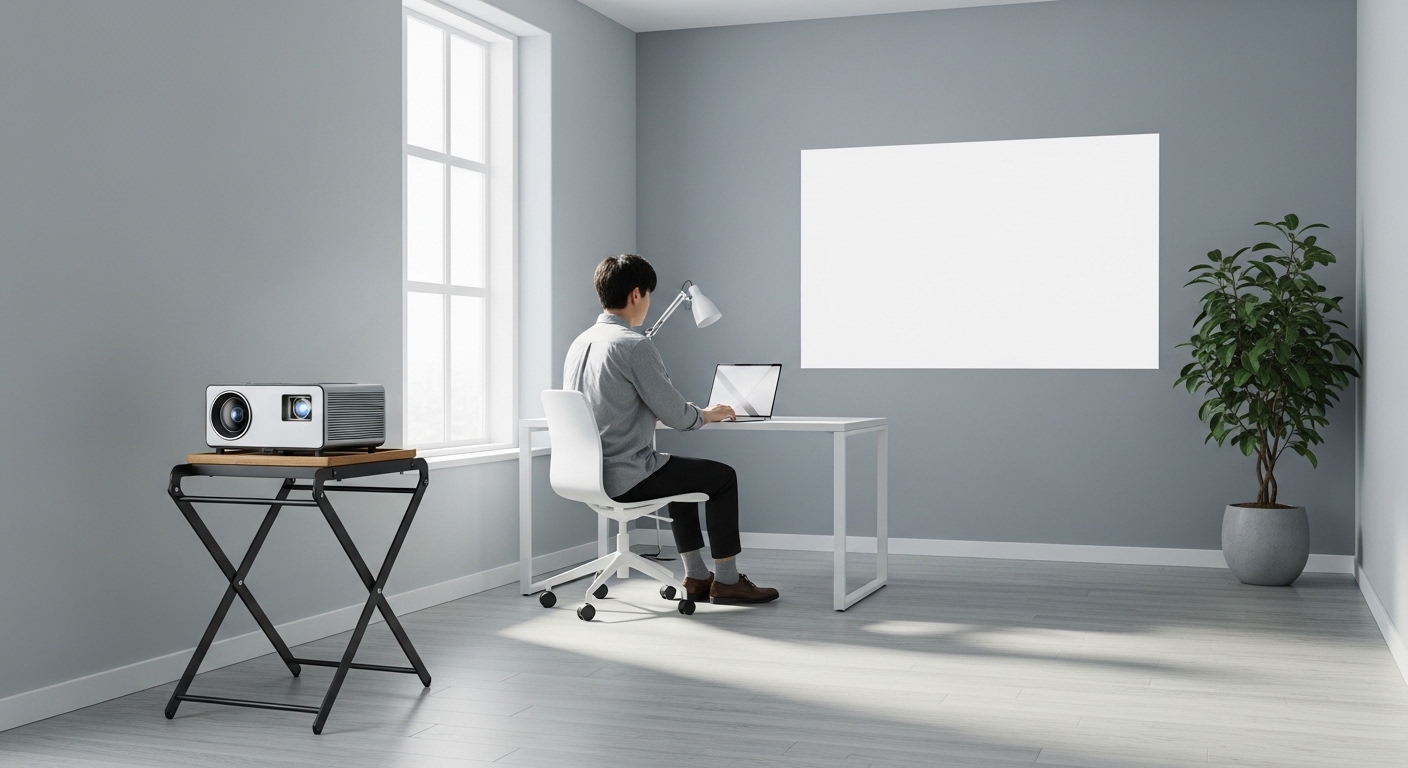
Short answer: Measure your space, identify projection distance, and choose placement accordingly.
Here’s the common mistake.
People buy a stand first, then try to fit it into their space. That leads to poor positioning.
Step-by-step approach:
- Measure room dimensions
- Check projector throw distance (usually 1.5–3 meters)
- Identify screen or wall location
- Choose stand placement that avoids foot traffic
Case study example:
A small startup office (approx. 120 sq ft) improved presentation clarity by 35% after switching from a desk setup to a height-adjustable tripod stand placed centrally.
This simple change reduced shadow interference and improved viewing angles.
What features make a projector stand truly space-saving?
Short answer: Foldability, multi-function design, and lightweight construction.
Key features to prioritize:
- Foldable legs: Easy storage after use
- Dual-use design: Can hold laptop + projector
- Quick setup: Saves time during meetings
- Anti-slip surface: Prevents device movement
In small offices, tools must serve multiple purposes. A stand that doubles as a laptop desk adds extra value.
Data insight:
Workspace efficiency reports show that multi-functional furniture reduces clutter by up to 30% in small offices.
How much should you spend on a projector stand?
Short answer: Budget between $25 and $100 depending on features.
Price breakdown:
- $25–$40: Basic tripod stands
- $40–$70: Adjustable stands with better stability
- $70–$100+: Premium carts or heavy-duty models
Don’t go too cheap.
Low-cost stands often lack stability, which can damage your projector. On the other hand, expensive models may include features you don’t need in a compact office setup.
Balance is key.
What mistakes should you avoid when choosing a projector stand?
Short answer: Avoid ignoring weight capacity, size, and adjustability.
Common mistakes:
- Buying oversized stands for small rooms
- Ignoring height adjustment
- Choosing unstable designs
- Overlooking cable management
- Not checking compatibility
These mistakes lead to poor user experience and wasted investment.
Think long-term usability, not just price.
How can a projector stand improve productivity in small offices?
Short answer: It improves visibility, reduces clutter, and enhances collaboration.
Here’s the impact.
- Clear presentations = better communication
- Organized space = less distraction
- Flexible setup = faster meetings
Research indicates that well-organized workspaces can boost team efficiency by up to 15–20%.
A simple tool like a projector stand can directly affect workflow.
Conclusion: Which projector stand is right for your small office?
Choosing the right projector stand is not about buying the most expensive option. It’s about finding the right fit for your space.
If your office is small, prioritize compact design, adjustability, and multi-function use. Focus on stability and ease of setup. Avoid unnecessary bulk.
Start with your space. Measure it. Understand your needs. Then choose a stand that supports your workflow—not one that complicates it.
Call to Action:
Take a look at your current office setup today. Identify wasted space. Replace inefficient tools. Upgrade to a smarter projector stand and transform your workspace into a clean, productive environment.
FAQs: Projector Stands for Small Office Spaces
1. What is the best projector stand for a small office?
The best option is a compact tripod stand with adjustable height and foldable legs. It saves space and offers flexibility.
2. Can I use a regular table instead of a projector stand?
Yes, but it limits adjustability and often leads to poor projection angles. A dedicated stand provides better positioning.
3. How tall should a projector stand be?
Ideally between 60 cm and 120 cm. This range supports both seated and standing setups.
4. Are wall-mounted projector shelves better?
They save space but lack flexibility. Best for permanent setups, not dynamic office environments.
5. How do I ensure stability?
Choose a stand with a wide base, anti-slip surface, and strong material like aluminum or steel.
6. Can one stand hold both a laptop and projector?
Yes, many modern stands are dual-purpose and support both devices safely.
7. Is a rolling cart suitable for small offices?
Only if you need mobility. Otherwise, it may take up more space than necessary.
Image ALT Texts
- compact projector stand in small office setup
- space-saving projector stand with adjustable height
- small room projector setup with tripod stand
Read More Also: Six tips when buying building materials online
Find out: Best investments for married couples
